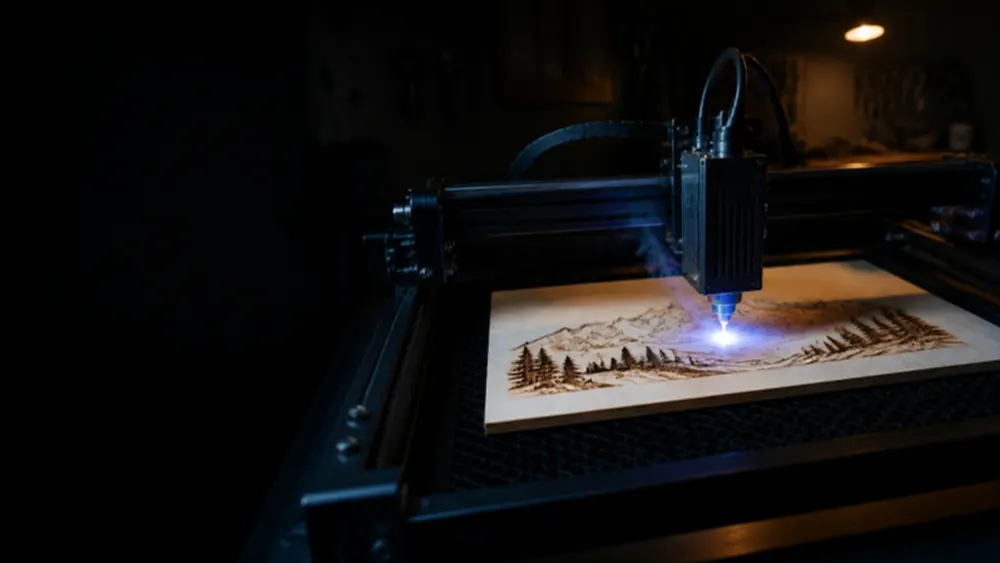
AtomStack sells twelve laser machines on its US store: open-frame diode lasers from 3.5 W to the 120 W water-cooled Glacier, two enclosed desktop machines (P1 and the Class 1 Atelier), a handheld dual-laser M4 Pro and a 20 W fiber marker. Each card sets the number in the name against the output AtomStack states, with the work area, spot, power draw and AtomStack’s own cut claims.
On saleDiode · 3.5 W
Swift Mini
3.5W optical
name says 3.5 W · optical output
- Work area
- 135 × 145 mm
- Spot
- not stated
- Enclosure
- Open frame
- Power draw
- not stated
Includes Pre-assembled, 2.6 kg.
Note
Most of the spec sheet is an image, so wavelength and power draw could not be read.
On saleDiode · 12 W
Swift 7W / 12W
12W optical
name says 12 W · optical output
- Work area
- 300 × 300 mm
- Spot
- 0.08 × 0.04 mm
- Enclosure
- Open frame
- Power draw
- not stated
Includes Sold as a 7 W or a 12 W version. Optional F40 air assist, 1.8 W 1064 nm module and extension kit.
Note
The description says “switchable 7W / 12W”, while the highlight and the store sell them as separate versions. Spot and area are for the page as a whole.
On saleDiode 455 nm · 10 W
A10 Pro V2
10W optical
name says 10 W · optical output
- Work area
- 410 × 380 mm
- Spot
- 0.06 × 0.08 mm
- Enclosure
- Open frame
- Power draw
- 50 W
Includes Manual focus, 400 mm/s.
Maker’s cut claim 12 mm wood, 10 mm acrylic (maximum on the spec card; passes not stated)
Note
AtomStack separates “Output Power 10W” from “Input Power 50W”. Work area is 410 × 380 mm in the spec table but 400 × 365 mm on the spec card of the same page.
On saleDiode 455 nm · 20 W
A20 Pro V2
20W optical
name says 20 W · optical output
- Work area
- 400 × 365 mm
- Spot
- 0.08 × 0.1 mm
- Enclosure
- Open frame
- Power draw
- 120 W
Includes Manual focus, tilt alarm, resume after power loss. Air assist sold as a bundle.
Maker’s cut claim 9 mm basswood or 15 mm paulownia in one pass (AtomStack settings table)
Note
“Output Power 20W” and “Input Power 120W” are listed separately. The spec card’s “Max Wood 17 mm” takes 10 passes in AtomStack’s settings table.
On saleDiode · 24 W
A24 Pro
24W optical
name says 24 W · optical output
- Work area
- 360 × 280 mm
- Spot
- not stated
- Enclosure
- Open frameClass 4 (A24 PRO-series manual); optional Class 1 enclosure
- Power draw
- not stated
Includes Unibody frame, fixed-focus lens, 24 V 5 A adapter, conveyor version 360 × 800 mm.
Maker’s cut claim 12 mm basswood in one pass, 17 mm in 10 passes (AtomStack settings table)
Note
Work area is 360 × 280 mm on the product page but 365 × 305 mm in AtomStack’s comparison data. Wavelength and spot are only in images.
On saleDiode · 48 W
A40 Pro V2
48W optical
name says 48 W · optical output
- Work area
- 385 × 400 mm
- Spot
- 0.08 × 0.1 mm
- Enclosure
- Open frame
- Power draw
- not stated
Includes 48 W / 24 W switch, one-key autofocus, F60 air assist kit, flame detection. 385 × 850 mm with the extension.
Maker’s cut claim 11 mm basswood or 14 mm paulownia in one pass (AtomStack settings table)
Note
The page claims 18 mm of wood in one pass and the spec card 20 mm; AtomStack’s own settings table cuts 11 mm of basswood in one pass and 14 mm in nine.
On saleDiode 455 nm · 70 W
A70 Max
70W optical
name says 70 W · optical output
- Work area
- 850 × 800 mm
- Spot
- 0.12 × 0.18 mm
- Enclosure
- Open frame
- Power draw
- not stated
Includes 70 W / 35 W switch, autofocus, built-in air assist (0–60 L/min), 4.3 in touch screen. B4 enclosure sold as a bundle.
Maker’s cut claim 15 mm basswood, 18 mm paulownia or 20 mm pine in one pass (AtomStack settings table)
Note
AtomStack states “Laser Module Output Power 70-77W, 35-39W” (spot 0.08 × 0.12 mm at 35 W) without the word optical. The page claims 25–28 mm of wood in one pass; its own settings table needs 10 passes for 25 mm pine. The older X70 Max listing (sold out) puts its 360 W input in the URL.
On saleDiode 455 nm · 120 W
Glacier 120W / 90W
120W optical
name says 120 W · optical output
- Work area
- 800 × 800 mm
- Spot
- 0.15 × 0.15 mm
- Enclosure
- Open frame
- Power draw
- not stated
Includes Water-cooled module, one-key autofocus, air assist standard. Optional 4 W IR module and B4 enclosure.
Maker’s cut claim Up to 30 mm wood in one pass (product page; settings not published)
Note
AtomStack’s blog calls all power steps “true optical output”: 120 W version 120 W turbo or 100/80/40 W, spot 0.15 × 0.15 mm; 90 W version 90 W turbo or 70/45 W, spot 0.12 × 0.15 mm. Card values are for the 120 W version.
On saleDiode 455 nm · 5 WIR 1,064 nm · 1.2 W
P1 / P1 Dual
5W optical
name says 5 W · optical output
- Work area
- 110 × 110 mm
- Spot
- 0.08 × 0.06 mm
- Enclosure
- EnclosedEnclosed with interlocks; class number not stated on the page
- Power draw
- not stated
Includes Viewing window, USB safety key, door and tilt detection. P1 Dual adds a 1.2 W 1064 nm IR laser (spot 0.03 × 0.03 mm) for metal.
Maker’s cut claim 3 mm basswood plywood in one pass; 5 mm and 3 mm black acrylic in several
On saleDiode · 12 W
Atelier
12W optical
name says 12 W · optical, beams combined
- Work area
- 120 × 120 mm
- Spot
- not stated
- Enclosure
- EnclosedClass 1 (IEC 60825-1), per AtomStack
- Power draw
- not stated
Includes Galvo head, built-in HD camera, door and tilt detection, USB safety key, manual focus. 120 × 350 mm with the conveyor.
Maker’s cut claim 6 mm wood (passes not stated)
Note
12 W from two 7 W diodes combined, says AtomStack. Speed is 4,000 mm/min in the spec table but 4,000 mm/s in the text.
On saleDiode 455 nm · 10 WIR 1,064 nm · 2 W
M4 Pro
10W optical
name says 10 W · optical output
- Work area
- 100 × 100 mm
- Spot
- not stated
- Enclosure
- Open frame
- Power draw
- not stated
Includes Galvo (“mirror”) head, desktop or handheld, knob-set focus by material thickness, 12 V 9 A input.
Maker’s cut claim 8 mm wood, 5 mm black acrylic (passes not stated)
Note
The diode is 450 nm in one place and 455 nm in the spec table. AtomStack quotes spots “as low as 0.03mm”, which fits the IR laser.
On saleFiber 1,064 nm · 20 W
A20 Pro 1064nm fiber
20W optical
name says 20 W · optical output
- Work area
- 400 × 400 mm
- Spot
- 0.03 × 0.06 mm
- Enclosure
- Open frame
- Power draw
- not stated
Includes Gantry (not galvo) fiber laser, manual focus, 24 V 7.5 A, 400 mm/s.
Maker’s cut claim 0.2 mm aluminium business cards in one pass
Note
One of the few pages that says “optical power” outright: “Laser output optical power: 20W”. A marker for metal, not a wood cutter.