Laser settings for glass
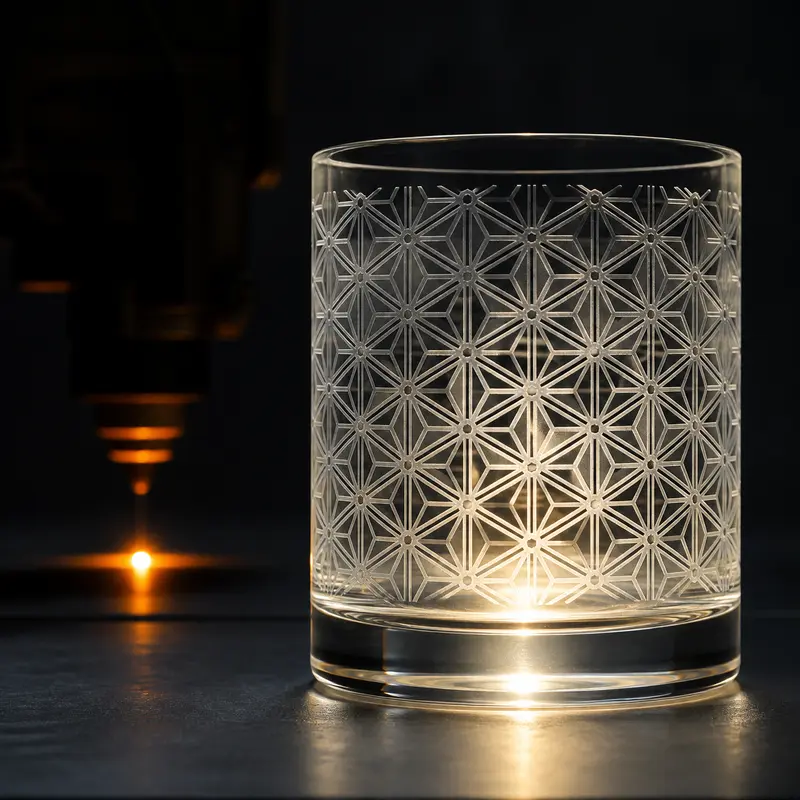
No hobby laser cuts glass. A CO2 laser frosts the surface; a blue diode’s light passes straight through clear glass, so it needs a coat of paint or spray to work on. Heat is what breaks glass, so the craft is in using less of it.
 Before you start With care
- Heat cracks glass. Epilog calls excess heat the number one cause of broken glasses, and notes that lead crystal is more prone to cracking. Start low, and do not make your first test on a piece you cannot replace.
- Fine particles. Engraving glass makes fine particles and fumes that need to be removed (Epilog). Keep the extraction on (exhaust fan calculator) and wipe the piece with a soft cloth afterwards.
- Coatings burn off. Paint or spray used with a diode is what the beam actually burns; ventilate, and wash it off afterwards (Snapmaker).
- Light that passes through keeps going. On clear glass a blue diode’s beam lands on whatever is underneath. Open-frame machines are Class 4: wear goggles rated for your wavelength (safety glasses checker).
 What the beam does
Switch the material or laser and watch the same beam give a different result.
- Clear glass
- Frosted micro-fractures
- Clear glass — untouched
- Heat lands on the bed below
- Black tempera paint (washes off)
- Marked glass surface
- Clear glass
- Paint backing (top, mirror face down)
- Silver layer
- Glass — clear where the backing is gone
Glass absorbs 10.6 µm at the surface. The heat makes tiny fractures that scatter light — the frosted white look. Too much heat and they chip (Johnson Plastics Plus).
Cross-section, not to scale.
 Which laser can process it
These are this material’s rows from our diode vs CO2 vs fiber matrix. (full matrix)
Not directly — the light passes through. With marking paper, spray or paint it engraves the surface. One community post lists 40 W diode settings for frosting clear glass without mentioning any coating.
Frosts the surface; it does not cut glass.
The beam passes through glass.
 Maker settings on one scale
Every value is a starting point published by the maker, and the maker is the source; none of them were tested by us. Machines differ in optical power, so power % and speed are converted to the energy the beam puts into each millimetre of line (J/mm). Tap a point or a table row to see the original row, the math and a link that fills in the converter.
This is the same formula as the converter. Between lasers of the same type, similar J/mm gives a similar burn. Cutting energy rises steeply with thickness, so compare rows of similar thickness.
AtomStack labels its diode rows simply “Glass” and does not say whether the glass was painted, taped or coated. Other sources say a blue diode cannot mark clear glass directly, so read them as coated-glass starting points. “Mirrors” and “Mirror(s) Back” rows engrave the paint on the back of a mirror. The squares are AtomStack’s 55 W CO2 (Hurricane). The TwoTrees list we recorded has no glass row.
| Machine (optical W) | Software | Maker label · thickness | Job | Speed mm/min | Power | Interval | Passes | J/mm | |
|---|---|---|---|---|---|---|---|---|---|
| LightBurn | Mirrors | Engrave | 5,000 | 60% | 0.1 | 1 | 0.072 | Convert → | |
| LaserGRBL | Mirrors | Engrave | 6,000 | S600 | 0.1 | 1 | 0.06 | Convert → | |
| LightBurn | Glass | Engrave | 400 | 60% | 0.1 | 1 | 0.9 | Convert → | |
| LaserGRBL | Glass | Engrave | 400 | S600 | 0.1 | 1 | 0.9 | Convert → | |
| LightBurn | Mirrors | Engrave | 20,000 | 80% | 0.08 | 1 | 0.048 | Convert → | |
| LaserGRBL | Mirrors | Engrave | 20,000 | S800 | 0.0833 | 1 | 0.048 | Convert → | |
| LightBurn | Glass | Engrave | 6,000 | 80% | 0.08 | 1 | 0.16 | Convert → | |
| LaserGRBL | Glass | Engrave | 6,000 | S800 | 0.0833 | 1 | 0.16 | Convert → | |
| LightBurn | Glass | Engrave | 10,000 | 80% | 0.1 | 1 | 0.115 | Convert → | |
| LaserGRBL | Glass | Engrave | 10,000 | S800 | 0.1 | 1 | 0.115 | Convert → | |
| LightBurn | Mirrors | Engrave | 25,000 | 80% | 0.1 | 1 | 0.0461 | Convert → | |
| LaserGRBL | Mirrors | Engrave | 25,000 | S800 | 0.1 | 1 | 0.0461 | Convert → | |
| LightBurn | Glass | Engrave | 10,000 | 80% | 0.1 | 1 | 0.115 | Convert → | |
| LaserGRBL | Glass | Engrave | 10,000 | S800 | 0.1 | 1 | 0.115 | Convert → | |
| LightBurn | Mirrors | Engrave | 25,000 | 80% | 0.1 | 1 | 0.0461 | Convert → | |
| LaserGRBL | Mirrors | Engrave | 25,000 | S800 | 0.1 | 1 | 0.0461 | Convert → | |
| LightBurn | Mirrors | Engrave | 10,000 | 55% | 0.08 | 1 | 0.158 | Convert → | |
| LaserGRBL | Mirrors | Engrave | 10,000 | 55% | 0.0833 | 1 | 0.158 | Convert → | |
| LightBurn | Glass | Engrave | 10,000 | 90% | 0.08 | 1 | 0.259 | Convert → | |
| LaserGRBL | Glass | Engrave | 10,000 | 90% | 0.0833 | 1 | 0.259 | Convert → | |
| LightBurn | Glass | Engrave | 6,000 | 50% | 0.1 | 1 | 0.35 | Convert → | |
| LaserGRBL | Glass | Engrave | 6,000 | S500 | 0.1 | 1 | 0.35 | Convert → | |
| LightBurn | Mirrors | Engrave | 10,000 | 35% | 0.1 | 1 | 0.147 | Convert → | |
| LaserGRBL | Mirrors | Engrave | 10,000 | S350 | 0.1 | 1 | 0.147 | Convert → | |
| Bitmap | Glass | Engrave | 18,000 | 30% | 0.08 | 1 | 0.055 | Convert → | |
| Vector Line | Glass | Engrave | 3,500 | 15% | — | 1 | 0.141 | Convert → | |
| Bitmap | Glass | Engrave | 800 | 80% | 0.08 | 1 | 0.3 | Convert → | |
| Vector Line | Glass | Engrave | 400 | 80% | — | 1 | 0.6 | Convert → | |
| Bitmap | Mirrors | Engrave | 3,000 | 80% | 0.08 | 1 | 0.08 | Convert → | |
| Vector Line | Mirrors | Engrave | 1,000 | 60% | — | 1 | 0.18 | Convert → | |
| Bitmap | Glass | Engrave | 6,000 | 80% | 0.1 | 1 | 0.16 | Convert → | |
| Vector Line | Glass | Engrave | 1,000 | 30% | — | 1 | 0.36 | Convert → | |
| Bitmap | Mirrors Back | Engrave | 12,000 | 80% | 0.1 | 1 | 0.08 | Convert → | |
| Vector Line | Mirrors Back | Engrave | 500 | 8% | — | 1 | 0.192 | Convert → | |
| Bitmap | Mirror Back | Engrave | 15,000 | 80% | 0.01 | 1 | 0.0038 | Convert → | |
| Vector Line | Mirror Back | Engrave | 300 | 80% (constant power) | — | 1 | 0.192 | Convert → |
Why CO2 frosts glass and a diode does not
Each laser type meets glass differently. CO2 light (10.6 µm) is absorbed at the surface, and the heat makes micro-fractures that read as frosted white (Johnson Plastics Plus, MatEdU); MatEdU notes it often leaves small glass chips to clean out. A blue diode (about 450 nm) and a 1,064 nm fiber laser pass through clear glass (diode vs CO2 vs fiber). A coating changes that: it absorbs the light, and the heat marks the glass under it (Snapmaker).
UV lasers (355 nm) are a newer route. xTool says its 5 W F2 Ultra UV is absorbed by transparent materials and can even engrave inside glass (press release) — a maker claim we have not seen tested. One community post gives settings for a 40 W diode that frosted clear soda-lime glass and does not mention a coating (Atomm); it does not say none was used either, so treat “glass without paint” on a diode as an experiment.
Engraving glass with a diode: paint or spray
Snapmaker lists black tempera paint (it washes off with water), laser marking sprays and a thin coat of matte black spray paint as coatings for a diode on glass (Snapmaker). AtomStack’s diode “Glass” fill (raster) rows run 400–10,000 mm/min at 50–90 % with a 0.08–0.1 mm interval — about 0.12–0.9 J/mm per line.
- 1

Clean off fingerprints: skin oil settles into the marks and lowers the contrast (Johnson Plastics Plus).
- 2
Coat thinly and evenly with black tempera or a marking spray (Snapmaker).
- 3

Let it dry fully before the laser touches it.
- 4
Engrave a grid. The diode marks the coat, and the coat marks the glass (Snapmaker).
- 5
Wash off with warm water and a soft sponge; mild soap or isopropyl alcohol for stubborn bits (Snapmaker).
Stop the cracks: heat, DPI and a wet towel
≈300 DPI · 0.085 mm — dots stay apart, heat spreads out (Epilog).
≈600 DPI · 0.042 mm — dots overlap and heat piles up; too much heat chips glass.
These tips are written for CO2 lasers, where the glass itself takes the heat.
- Lower power to cut the heat (Epilog). If the glass flakes, lower the power or raise the speed (JPPlus).
- Fewer dots. Epilog suggests about 300 DPI on glass so the dots stay apart (Epilog FAQ); Johnson Plastics Plus starts 50–60 W lasers at 500–600 DPI (JPPlus). The sources differ, so test. 300 DPI is a 0.085 mm interval and 600 DPI 0.042 mm (line interval & DPI calculator).
- Wet paper. A thin, wet sheet of newspaper or paper towel a little larger than the design, with no wrinkles (Epilog FAQ); keep it wet for the whole job (JPPlus). A thin film of dish soap does a similar job (Epilog).
- Lighter black. Epilog suggests changing pure black to about 80 % and using Jarvis dithering.
- Judge it dry. Moisture and skin oil in the fractures lower the contrast (JPPlus).
Mirrors: engrave the back
Back: engrave a mirrored design — the beam removes paint and silver.
Front: reads correctly — clear glass where the silver was.
On a mirror, engrave the painted back and mirror the artwork so it reads correctly through the glass (Epilog). The beam removes the paint and the silver; from the front, those areas turn to clear glass. AtomStack’s diode “Mirrors” fill (raster) rows run 3,000–25,000 mm/min — about 0.05–0.16 J/mm, well below its plain “Glass” fill rows — because the job is removing paint, not marking glass. Start low and work up (Epilog). Epilog also notes that a paint or wax fill makes a design more visible.
How to run a glass test
Johnson Plastics Plus finds that cheaper glass often engraves better than expensive glass, so a cheap test piece is not a compromise (JPPlus).
- 1
Same glass, same batch — a spare from the same box.
- 2
Start low on a small patch and work up (Epilog).
- 3
Grid power against speed at a fixed interval; on a diode, coat the whole test area evenly (LightBurn).
- 4
Clean and dry before you judge (JPPlus).
- 5
Chips or flakes mean too much power, too slow, or a paper layer that dried out (JPPlus).
FAQ
- Can a diode laser engrave glass?
- Not clear glass directly: about 450 nm passes through. With a coat of black tempera, a marking spray or matte black paint, it marks the surface. AtomStack’s diode glass fill (raster) rows run 400–10,000 mm/min at 50–90 %, about 0.12–0.9 J/mm per line. One community post gives 40 W diode settings for frosting clear glass without mentioning a coating; treat that as an experiment.
- What are good CO2 laser settings for glass?
- Low power; if the glass flakes, Johnson Plastics Plus lowers the power or raises the speed. Epilog suggests about 300 DPI with a wet paper towel on the glass; Johnson Plastics Plus starts 50–60 W lasers at 70–80 % power, 25–35 % speed and 500–600 DPI with a wet paper layer. AtomStack’s 55 W CO2 row is 18,000 mm/min at 30 % with a 0.08 mm interval, about 0.055 J/mm.
- Can you laser engrave glass without paint?
- With a CO2 laser, yes — glass absorbs its 10.6 µm light at the surface. UV lasers are also sold for glass (maker claim). With a blue diode, clear glass needs a coating; a single community post with 40 W diode settings that does not mention a coating is not enough to rely on.
- Why does my glass crack or chip when I laser engrave it?
- Heat. Too much power, too slow a speed or too high a DPI piles up heat; a paper layer that dried out does the same. Lead crystal cracks more easily. Lower the power, raise the speed, try about 300 DPI and keep a wet paper towel on the glass.
Sources
- AtomStack, Material Setting (LightBurn, LaserGRBL and machine tables)
- Epilog Laser blog, Laser engraving tips and tricks for glassware
- Epilog Laser blog, Top 10 frequently asked laser questions
- Johnson Plastics Plus support, CO2 laser engraving glass: preparation and troubleshooting (2025-01-06)
- MatEdU (NSF-funded), Materials for Laser Cutter Machines
- Snapmaker, Guide to laser engraving glass (2025-04-17)
- xTool, How to engrave glass with a diode laser
- xTool press release, xTool launches F2 Ultra UV (PR Newswire, 2025-11-28)
- Atomm (xTool community), Materials for xTool S1
- LightBurn documentation, Material Test
Sources for the laser-type verdicts
- xTool, Fiber vs CO2 vs Diode Laser: Differences Explained
- xTool, How to Engrave Glass with a Diode Laser
- xTool Support, xTool F1 Product Introduction
- Johnson Plastics Plus, What is a Diode Laser
- Atomm (xTool community), Materials for xTool S1
- Glowforge Performance Series tech specs (CO2)
- Glowforge Support, Non-Proofgrade Materials FAQ
- Trotec, Diode vs CO2 vs fiber laser comparison guide
- OMTech, Diode vs CO2 vs Fiber Lasers
- University of Georgia, Laser Cutter Materials List (CO2)
- Southern Illinois University, Laser Cutter Materials List
- Rutgers Makerspace, Lasers (CO2 and MOPA fiber)
- Boss Laser, fiber laser materials
Last checked 2026-11-02 · Maker values and calculations; we did not process this material ourselves.