3D printer settings, from the makers’ own profiles
Pick a printer and a filament to see the nozzle, bed, fan and retraction that Bambu Lab, Prusa, Creality, Anycubic and Elegoo ship in their slicers — and where the spool makers disagree.
 The short answer
Start with your printer maker’s own slicer profile for the filament. The 25 settings below are read straight from the official slicer files of Bambu Lab, Prusa, Creality, Anycubic and Elegoo. The Bambu Lab P1S profile for PETG, for example, is a 245 °C nozzle, 70 °C bed, 20–40% fan and 0.8 mm retraction. The same filament gets different numbers on different printers, and they do not always match the spool’s label. Makers say to keep the enclosure closed for ABS and ASA, and to open the door or lid for PLA in a closed printer.
We have not printed on these machines. Every number on this page is from the makers’ official slicer profiles and documents, with the original file linked.
 Pick a printer and a filament
Bambu Lab P1S · PETG Enclosed
Part-cooling fan: 20–40%, off for the first 3 layers
Chamber target (the profile’s value; a guide on printers without a chamber heater): °C
The profile sets no Cool Plate temperature for PETG. For PLA and PETG, Bambu suggests a cooler bed and an open door or lid.
Profile: Bambu PETG HF @BBL P1S 0.4 nozzle (Official slicer file, Checked 2026-11-09)
What the spool makers print for this filament
- Bambu Lab PETG HF: Nozzle 230–260 °C · Bed 60–80 °C
- Prusament PETG: Nozzle 250 ± 10 °C · Bed 80 ± 10 °C
- Polymaker PolyLite PETG: Nozzle 230–260 °C · Bed 70–80 °C
- Elegoo PETG Pro: Nozzle 230–260 °C · Bed 65–75 °C
 Printer × filament at a glance
| PLA | PETG | ABS | ASA | TPU | |
|---|---|---|---|---|---|
| Bambu Lab P1SEnclosed | |||||
| Bambu Lab A1Open frame | — | — | |||
| Prusa CORE OneEnclosed | |||||
| Creality K1CEnclosed | |||||
| Anycubic Kobra 3Open frame | — | — | |||
| Elegoo Centauri CarbonEnclosed | — |
Nozzle / bed °C after the first layer. Brighter = hotter nozzle. Tap a cell to load it into the card above. A dash marks a combination we left out.
All 25 settings
| Printer | Filament | Nozzle °C | Bed °C | Retraction | Part-cooling fan | Max volumetric flow (mm³/s) |
|---|---|---|---|---|---|---|
| Bambu Lab P1S · PLA | 220 | 55 | 0.8 mm · 30 mm/s | 100% | 21 (High Flow hotend 29) | |
| Bambu Lab P1S · PETG | 245 (first layer 230) | 70 | 0.8 mm · 30 mm/s | 20–40% | 21 (High Flow hotend 29) | |
| Bambu Lab P1S · ABS | 270 (first layer 260) | 90 | 0.4 mm · 30 mm/s | 10–60% | 16 (High Flow hotend 25) | |
| Bambu Lab P1S · ASA | 270 | 100 | 0.8 mm · 30 mm/s | 10–35% | 18 (High Flow hotend 25) | |
| Bambu Lab P1S · TPU | 230 | 35 | 0.8 mm · 10 mm/s | 100% | 12 | |
| Bambu Lab A1 · PLA | 220 | 65 | 0.8 mm · 30 mm/s | 60–80% | 21 | |
| Bambu Lab A1 · PETG | 240 (first layer 230) | 70 | 0.8 mm · 30 mm/s | 30–50% | 18 | |
| Bambu Lab A1 · TPU | 230 | 45 | 0.8 mm · 30 mm/s | 100% | 12 | |
| Prusa CORE One · PLA | 225 (first layer 230) | 60 | 0.7 mm · 45 mm/s | 85–100% | 15 | |
| Prusa CORE One · PETG | 250 | 85 | 0.8 mm · 45 mm/s | 30–60% | 12 | |
| Prusa CORE One · ABS | 260 | 110 | 0.7 mm · 45 mm/s | 15–20% | 15 | |
| Prusa CORE One · ASA | 260 | 110 | 0.7 mm · 45 mm/s | 20–25% | 15 | |
| Prusa CORE One · TPU | 225 | 65 | 0.7 mm · 45 mm/s | 65% | 2.5 | |
| Creality K1C · PLA | 220 | 50 | 0.8 mm · 35 mm/s | 100% | 23 | |
| Creality K1C · PETG | 250 | 70 | 1.5 mm · 40 mm/s | 40–80% | 23 | |
| Creality K1C · ABS | 260 | 80 | 0.8 mm · 40 mm/s | 10–60% | 23 | |
| Creality K1C · ASA | 270 | 100 | 0.8 mm · 40 mm/s | 10–60% | 18 | |
| Creality K1C · TPU | 220 (first layer 230) | 40 | 1 mm · 30 mm/s | 100% | 2 | |
| Anycubic Kobra 3 · PLA | 210 (first layer 220) | 60 | 1 mm · 60 mm/s | 60–80% | 12 | |
| Anycubic Kobra 3 · PETG | 230 | 70 | 2 mm · 80 mm/s | 15–80% | 8 | |
| Anycubic Kobra 3 · TPU | 210 (first layer 230) | 60 | 2 mm · 35 mm/s | 80–100% | 3.2 | |
| Elegoo Centauri Carbon · PLA | 210 | 60 | 0.8 mm · 30 mm/s | 50–100% | 21 | |
| Elegoo Centauri Carbon · PETG | 250 | 70 | 0.8 mm · 30 mm/s | 10–40% | 11 | |
| Elegoo Centauri Carbon · ABS | 270 | 90 | 0.8 mm · 30 mm/s | 10–40% | 18 | |
| Elegoo Centauri Carbon · TPU | 225 | 35 | 0.4 mm · 30 mm/s | 100% | 3.2 |
- Bambu Lab A1 · ABS — Bambu rates ABS “Not Recommended” on the open-frame A1.
- Bambu Lab A1 · ASA — Bambu rates ASA “Not Recommended” on the open-frame A1.
- Anycubic Kobra 3 · ABS — Anycubic’s English store lists PLA, PETG and TPU for the Kobra 3.
- Anycubic Kobra 3 · ASA — Anycubic’s English store lists PLA, PETG and TPU for the Kobra 3.
- Elegoo Centauri Carbon · ASA — Left out to keep the table to 25; ElegooSlicer has an ASA profile at 270 °C and a 90 °C bed.
 The slicer and the spool disagree
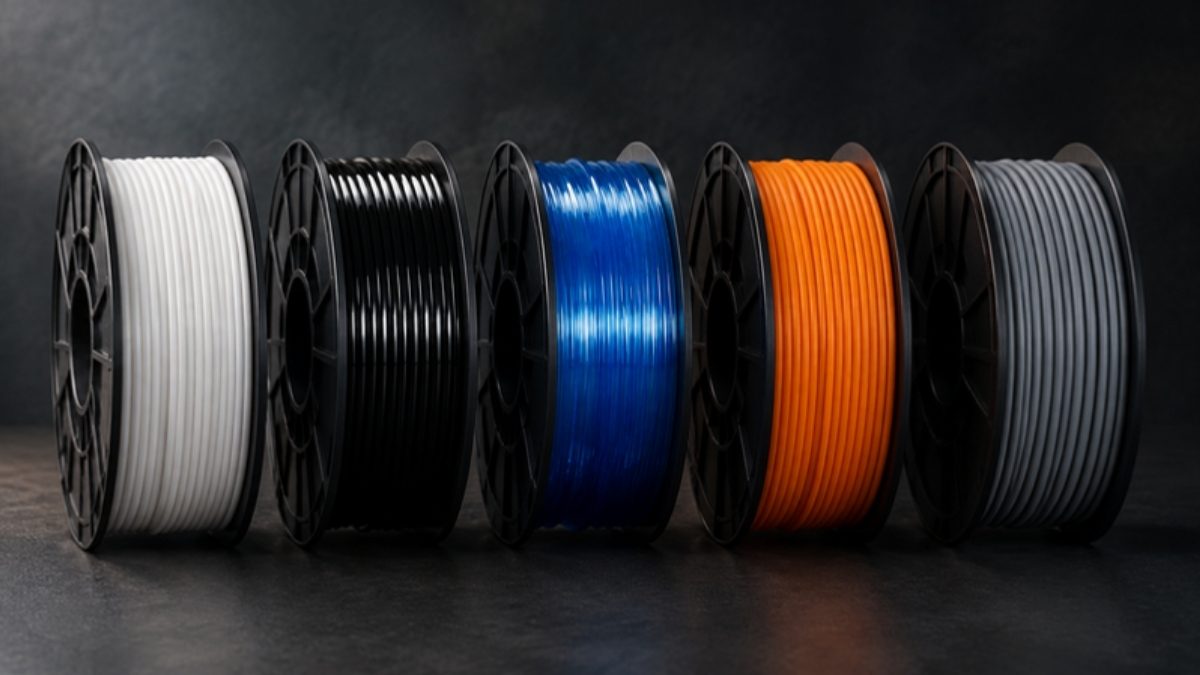
A spool’s label or data sheet gives a range under that maker’s test conditions. A slicer profile is one point, chosen for one printer, plate and nozzle. Both are official, and they do not always agree. We list both rather than averaging them.
- Prusament PLA is printed as 210 ± 10 °C, yet PrusaSlicer’s CORE One profile runs it at 225 °C (230 °C on the first layer).
- One Bambu filament, two machines: PLA Basic gets a 55 °C bed on the P1S and 65 °C on the A1; PETG HF 245 °C and 240 °C.
- ASA bed temperatures run from 75–95 °C (Polymaker) through 90–100 °C (Elegoo) and 100 °C (Bambu, Creality) to 110 ± 5 °C (Prusament).
- Creality Print sets 80 °C for ABS on the K1C; Creality’s own warping advice says 100–110 °C, up to 10 °C above the K1C’s 100 °C bed limit. Source
- PETG part-cooling fan: Prusament 50%, Polymaker off to 20%, Bambu P1S 20–40%, Elegoo 10–40%, Creality 40–80%, Anycubic 15–80%.
- TPU retraction ranges from 3–6 mm in Polymaker’s data sheet to 0.4 mm in Elegoo’s profile; direct-drive machines run far shorter.
- Polymaker’s PolyFlex TPU95 data sheet says 210–230 °C, but Polymaker’s own Bambu preset prints it at 250 °C. Source
- Creality lists a hardened-steel nozzle on the K1C, while the machine profile in Creality Print says brass.
Filament makers’ published values
| Filament | Maker | Nozzle | Bed | Drying |
|---|---|---|---|---|
| PLA | Bambu Lab PLA Basic | 190–230 °C | 35–45 °C (glue, Cool Plate) | 50 °C, 8 h in a dryer |
| PLA | Prusament PLA | 210 ± 10 °C | 40–60 °C (heated bed optional) | — |
| PLA | Polymaker PolyLite PLA | 190–230 °C | 25–60 °C | 55 °C, 6 h |
| PLA | Elegoo PLA | 190–230 °C | — | — |
| PETG | Bambu Lab PETG HF | 230–260 °C | 60–80 °C | 65 °C, 8 h in a dryer |
| PETG | Prusament PETG | 250 ± 10 °C | 80 ± 10 °C | — |
| PETG | Polymaker PolyLite PETG | 230–260 °C | 70–80 °C | 65 °C, 6 h |
| PETG | Elegoo PETG Pro | 230–260 °C | 65–75 °C | 60 °C, 8 h |
| ABS | Polymaker PolyLite ABS | 245–265 °C | 90–100 °C | 70 °C, 6 h |
| ABS | Anycubic ABS | 240–280 °C | 80–100 °C | 70–80 °C, 8–12 h |
| ABS | Prusa ABS guide (generic ABS) | 255 °C | 80–110 °C (hotter for big parts) | — |
| ASA | Prusament ASA | 260 ± 5 °C | 110 ± 5 °C | Absorbs moisture; no time given |
| ASA | Polymaker ASA | 230–260 °C | 75–95 °C | 70 °C, 7 h |
| ASA | Elegoo ASA | 240–270 °C | 90–100 °C | — |
| TPU | Prusament TPU 95A | 230 ± 10 °C | 65 ± 10 °C | Usually not needed; 60 °C, 4 h+ if damp |
| TPU | Polymaker PolyFlex TPU95 | 210–230 °C | 25–60 °C | 70 °C, 8 h |
| TPU | Elegoo TPU 95A | 220–240 °C | — | 70 °C, 8 h |
 Enclosure: closed or open?
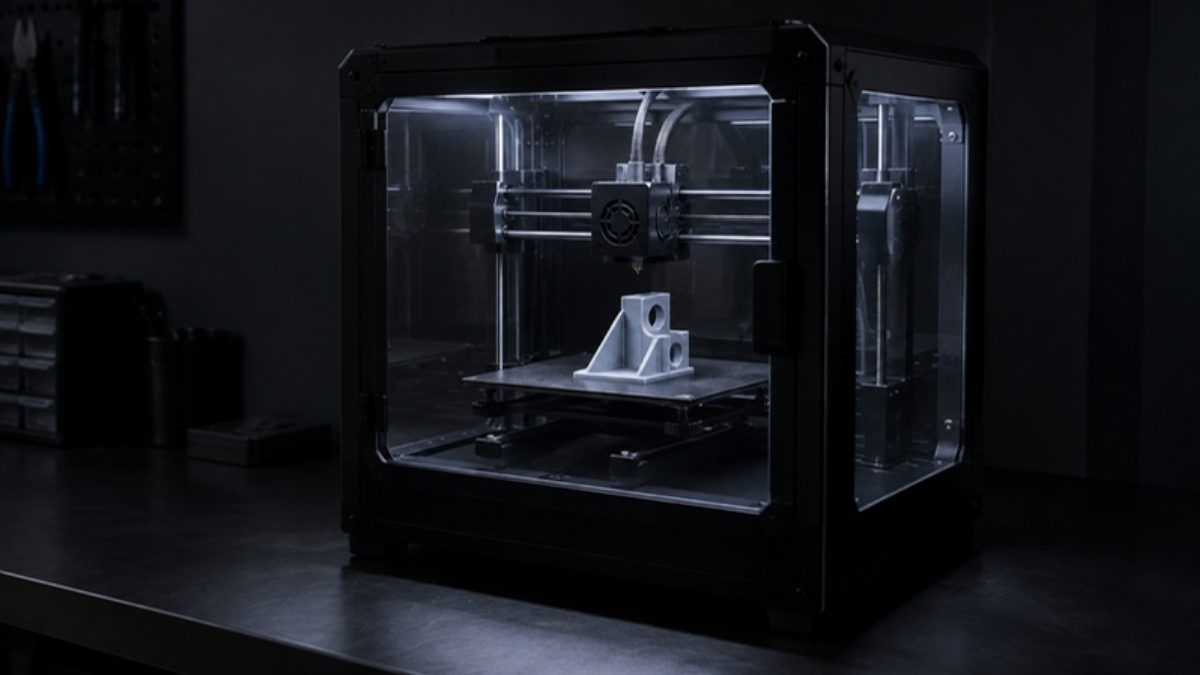
Close it for ABS and ASA. Prusa’s CORE One profiles set a 55 °C chamber target and a 40 °C minimum for ABS and ASA, and Polymaker lists an enclosure as “Needed” for both. Bambu rates ABS and ASA “Not Recommended” on its open-frame A1.
Open it for PLA. In a warm enclosure, PLA can soften above the nozzle and jam — heat creep. Bambu says to open the front door or top lid for PLA on a PEI plate, and Prusa says to open the door or top vent; Bambu treats PETG the same way.
Slow down for TPU. The maximum flow in the TPU profiles is 2.5 mm³/s on the CORE One (15 for PLA on the same printer) and 2 mm³/s on the K1C (23 for PLA). Bambu feeds TPU 95A HF from an external spool rather than the AMS, and Anycubic says not to run TPU through the ACE Pro.
 Failures, and what the makers say to do
Warping (corners lift)
- Wipe the sheet with 90%+ IPA.
- Lower Live Adjust Z slightly (not too far on PETG and PC).
- Keep drafts off; enclose high-temperature materials (not PLA or PETG).
- Add a brim; slow down.
- Raise the bed: PLA 55–65 °C, PETG 75–85 °C, ABS 100–110 °C, TPU 40–60 °C.
- Add a 5–10 mm brim and let the part cool before removing it.
- Turn the fan off for the first 3–5 layers.
- Enclose ABS (“essential”).
- ABS and ASA need an enclosure.
- Heat the bed to 90–100 °C and let it soak for 10 minutes.
- Turn the part fan off if adhesion suffers.
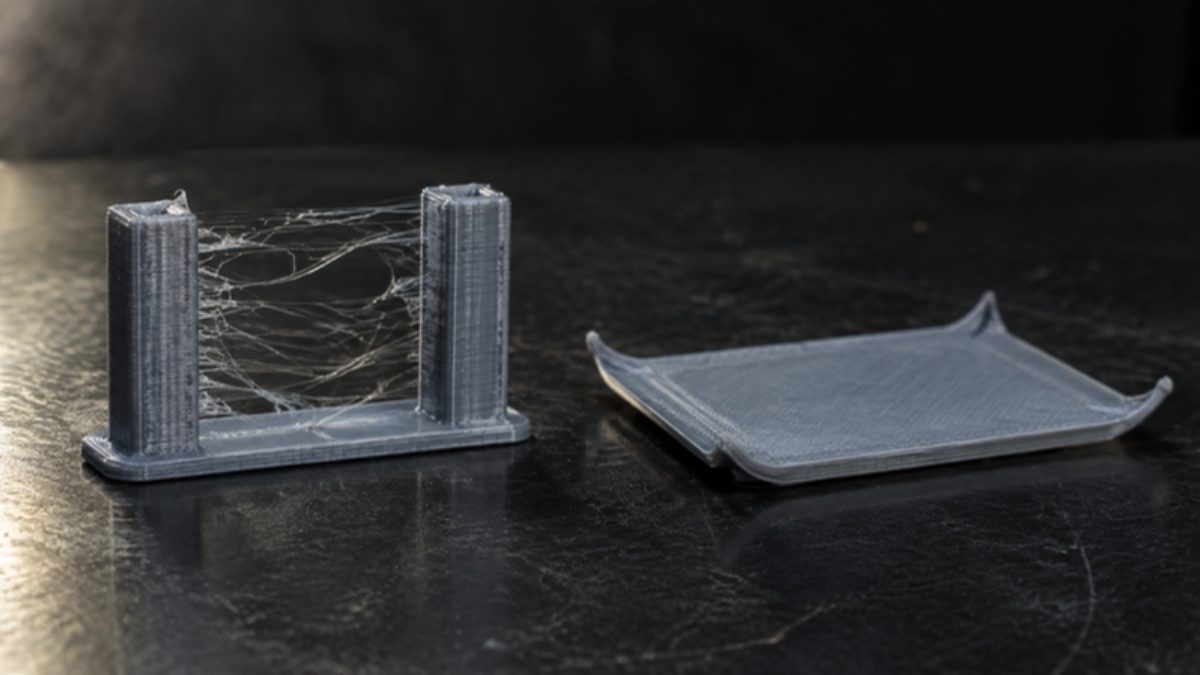
Stringing and oozing
- Keep retraction at 2 mm or less on direct-drive machines; softer materials need more.
- Lower the nozzle 5–10 °C and test.
- Try a dry spool; clean the nozzle.
- Remove leftover strings with a heat gun at about 200 °C for 1–2 s.
- Brush the hot nozzle with brass and check it extrudes freely.
- Run a stringing test, dropping 5 °C at a time until layer bonding suffers.
- Retraction: direct drive 0.5–2 mm at 25–45 mm/s; Bowden 4–7 mm at 40–60 mm/s.
Layers splitting
- ABS: part fan fully off, print enclosed (ideally heated).
- For large parts, PETG cracks less than ABS.
- PLA: raise the nozzle 5 °C at a time.
- Raise the extrusion multiplier 5% at a time.
- Raise the nozzle 5 °C at a time.
- Slow down by 20%.
- Keep layer height at or below 75% of the nozzle (0.32 mm on a 0.4 mm nozzle).
- ABS and ASA bond better hotter and slower.
- PETG: fan off or very low; if still weak, go up to 240 °C.
Clogged nozzle and heat creep
- Heat the nozzle and push a 0.3–0.35 mm needle up 1–2 cm (not on HF nozzles).
- Open the idler, heat to 260 °C for PLA or 280 °C for PETG and ASA, wait 2 minutes and push fresh filament through.
- In a closed printer or a hot room, open the door or top vent for PLA.
- Use the HF profile with an HF nozzle; mixing them up causes clogs.
- Heat creep: lower the bed to about 35 °C where the plate allows.
- On the X1 and P1, open the front door or top lid (fine closed with the Cool Plate).
- Cold pull: heat to print temperature, cool to 90 °C, pull firmly; repeat until clean.
- Clear the tip with a 0.4 mm needle.
- If two cold pulls do not restore flow, replace the nozzle.
- Print TPU at about 20 mm/s, 30–40 mm/s at most.
- Use little or no retraction at first; loosen the idler.
Laser trouble instead? Try the laser engraving troubleshooter.
 Same idea on a laser
On a laser, too, start from the maker’s table and test on scrap before the real job. See our laser settings by material, the material test grid generator and the power and speed converter. Printed jigs are a common way to line work up on a laser bed, so the two tables go together.
FAQ
- What temperature should I print PETG at?
- The makers’ own profiles put PETG between 230 and 250 °C: 245 °C on the Bambu Lab P1S, 240 °C on the A1, 250 °C on the Prusa CORE One, Creality K1C and Elegoo Centauri Carbon, and 230 °C on the Anycubic Kobra 3. Beds run 70–85 °C. Spool makers print 230–260 °C (Bambu, Polymaker, Elegoo) or 250 ± 10 °C (Prusament).
- Should I close the enclosure when printing PLA?
- Usually not. Bambu Lab says to open the front door or top lid when printing PLA on a PEI plate, and Prusa says to open the door or top vent, because a warm enclosure can soften PLA above the nozzle and clog it (heat creep). Close the enclosure for ABS and ASA instead.
- Why are my slicer’s temperatures different from the spool?
- The spool gives a range under its maker’s test conditions; a slicer profile picks one point for one printer, plate and nozzle. Prusament PLA, for example, is printed as 210 ± 10 °C while PrusaSlicer’s CORE One profile uses 225 °C. Both are official; start from the printer maker’s profile and adjust within the spool’s range.
- How much retraction do I need for TPU?
- Less than you might think on a direct-drive printer. The makers’ TPU profiles use 0.4 mm (Elegoo Centauri Carbon), 0.7 mm (Prusa CORE One), 0.8 mm (Bambu Lab), 1 mm (Creality K1C) and 2 mm (Anycubic Kobra 3). Polymaker’s data sheet, written for many kinds of printer, gives 3–6 mm. Prusa suggests printing TPU at about 20 mm/s and cutting retraction back first.
Sources
- BambuStudio filament profiles (GitHub, bambulab/BambuStudio, master at dafcc5de70)
- PrusaSlicer settings 2.5.14 for Prusa printers (GitHub, prusa3d/PrusaSlicer-settings-prusa-fff)
- Creality Print filament profiles (GitHub, CrealityOfficial/CrealityPrint)
- Anycubic Slicer Next filament profiles (GitHub, ANYCUBIC-3D/AnycubicSlicerNext)
- ElegooSlicer Centauri Carbon filament profiles (GitHub, elegooofficial/ElegooSlicer)
- Prusament material pages (PLA, PETG, ASA, TPU 95A)
- Polymaker technical data sheets and print tips
- Prusa Knowledge Base: warping, stringing, layer separation, clogged nozzle, flexible materials
- Creality: The 10 most common 3D printing problems and how to fix them (July 2, 2026)
- Bambu Lab Wiki: clogs and heat creep
- Polymaker presets for Bambu Studio and other slicers (GitHub, Polymaker3D/Polymaker-Preset)
Checked 2026-11-09. We have not printed on these machines. Every number on this page is from the makers’ official slicer profiles and documents, with the original file linked.