Laser engraver vs CNC router: which one fits your work?
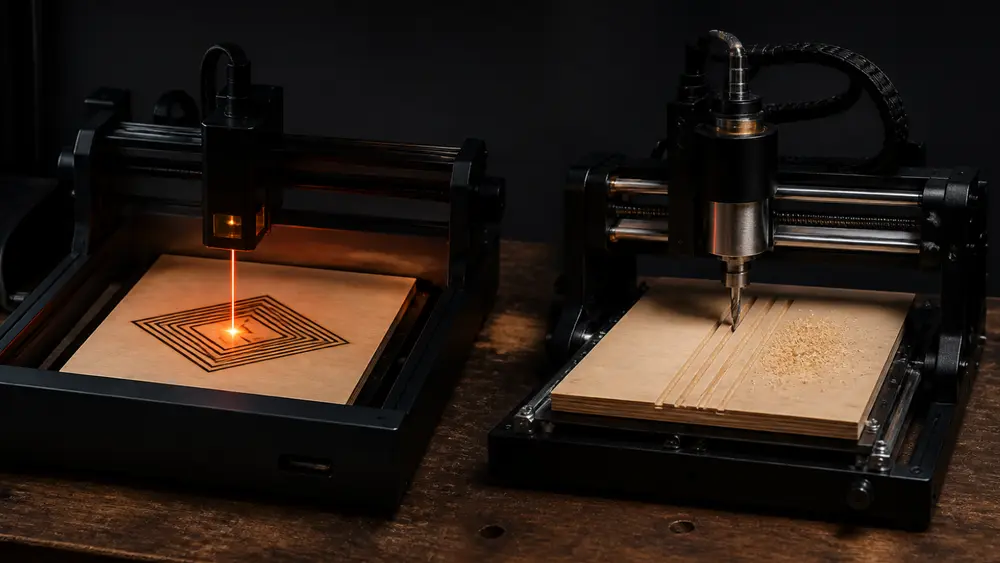
One burns with light, the other cuts with a spinning bit. Pick what you want to make and watch both go into the same board, drawn to scale. Then type your own text and see what a round bit cannot reach.
 The short answer
Get a laser for surface detail and thin sheet: photos, gifts, dark lettering, boxes in 3–6 mm plywood. Get a CNC router for depth and strength: carved signs, trays, furniture parts, soft metal. If your plan is vinyl and card, you need neither: that is a cutting plotter. TwoTrees, which sells lasers and routers, draws the same line, and notes that many makers end up owning more than one.
 Pick what you want to make
Thirteen jobs. Each one puts a beam and a bit into the same material at the same scale, so a kerf of about 0.2 mm (Ponoko’s figure; it varies by machine) looks as thin next to a 1/8 in bit as it really is. The verdict and its source change with your pick.
Use A diode laser 6 mm thick
The beam darkens the surface a little or a lot, so a picture becomes tones. TwoTrees, which sells both machines, lists “very fine detail and crisp engraving” as the laser’s strength.
A bit removes wood, so it leaves no dark tone. Any picture has to come from carved depth and shadow. That is our reading of how the tool works, not a test.
Board, cut and straight bits are to the same scale in each panel. Not to scale: the router head, the V-bit’s body above the groove, and the laser head and beam above the surface. The kerf of about 0.2 mm is Ponoko’s figure and varies by machine.
 Depth: a burn against a carve
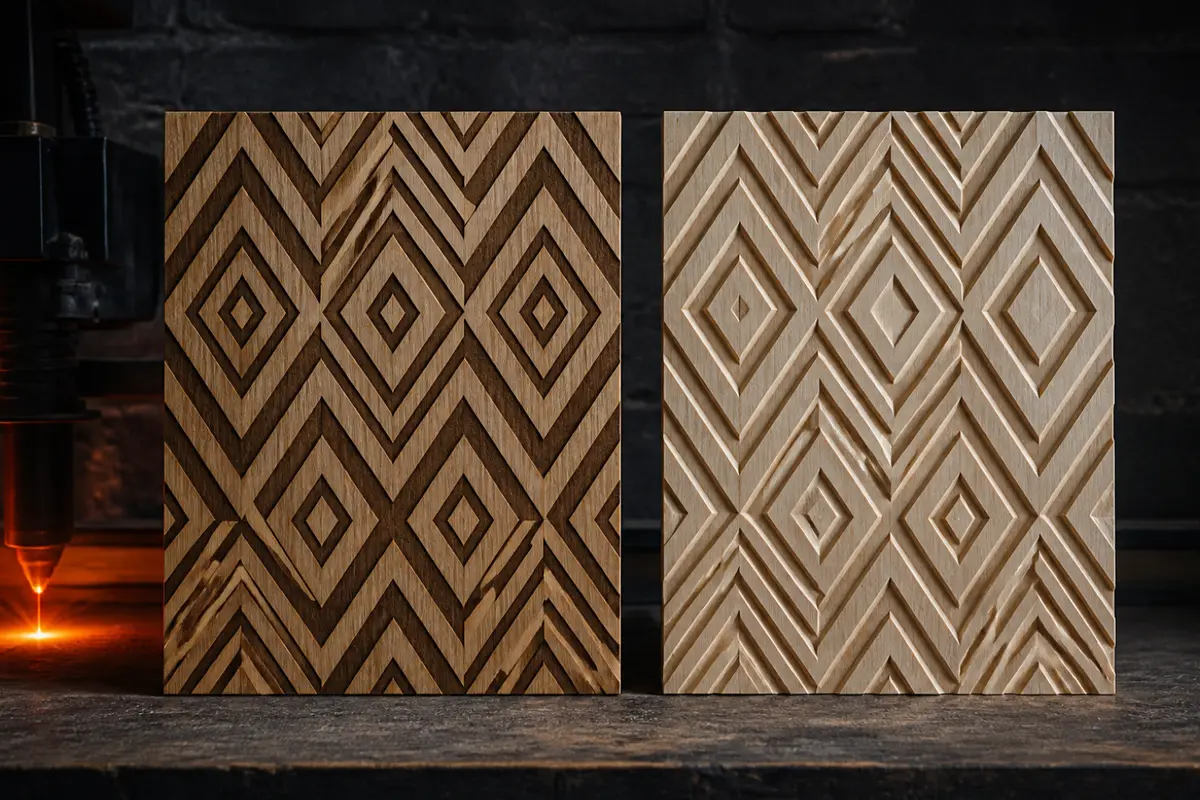
A laser’s beam narrows to a focus and widens again, so deeper in a cut the same power spreads out until it stops burning. That is why makers’ cutting figures flatten out, and why our laser thickness guide keeps one-pass and many-pass figures apart. A bit has no such limit: it takes a few millimeters at a time, then goes back down. Its limits are the length of the bit and how far the Z axis travels.
The look follows from the depth. TwoTrees rates router parts “high” for strength, in solid wood and metal, and laser parts “low to medium (mostly decorative)”. That is a maker selling both, comparing its own lines. The router’s cost is that all this depth has to be planned: bits, passes and how the part is held down. Our chipload calculator and bit guide cover those choices.
 Detail: what a round bit cannot reach
Type a word. On the left, a laser with a kerf of about 0.2 mm. On the right, a flat end mill pocketing the same letters. Every inside corner is rounded by the bit, and any stroke thinner than the bit stays behind in orange. Try 1/4 in, then make the letters taller.
Orange = wood the round bit cannot reach. Dark = cut away. Circle = the bit, to scale.
 Edges and corners
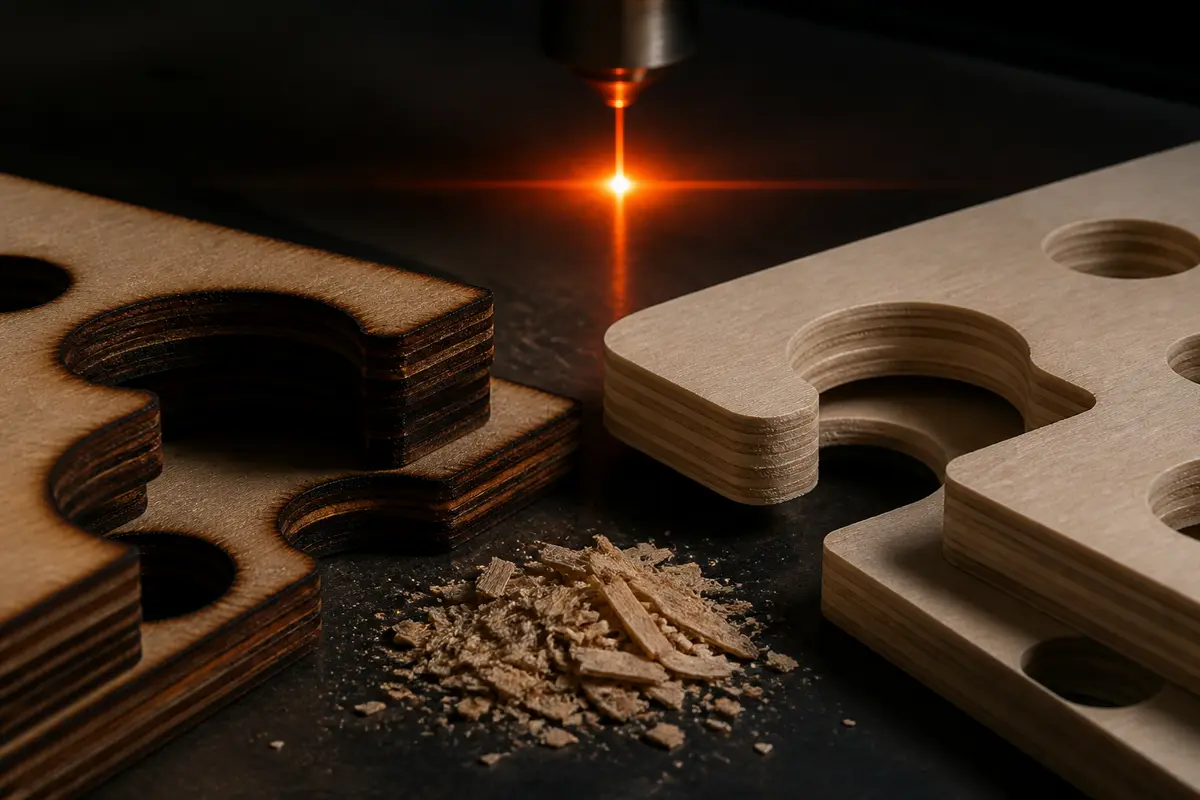
Roskilde University’s FabLab puts it plainly: “the inner corners can never be more sharp” than the tool allows, and a 6 mm mill leaves a 3 mm radius. For joints that must fit, CNC users add dogbones, small relief cuts into each corner. A laser has no such problem at this scale: Ponoko says kerf “starts at about 0.2mm”. A V-bit also gets around the rule on carved letters, because it rises as a stroke narrows, which is why it is the sign maker’s bit; see the V-bit calculator.
The laser pays for this at the edge. Its cut is a burn, so plywood edges come out dark. A routed edge stays clean wood, ready for glue, though a bit can fray the surface; the spiral direction decides which face. To size laser joints, the kerf calculator corrects for the width of the cut.
 Noise: check this before anything else
TwoTrees’ table calls a router “moderate to loud (spindle and cutting)” and a laser “low to moderate (fans, motion)”. Numbers are harder to find. We found no decibel rating on the laser listings we checked. Two Makita manuals for the compact RT0702C router declare a sound pressure level of 82 or 85 dB(A), with an uncertainty of 3 dB(A), and say “Wear ear protection”. That reaches or comes close to NIOSH’s recommended limit of 85 dBA over eight hours, and NIOSH halves the allowed time for each 3 dB above it. Makita says these figures are for comparing tools, and that noise in actual use can differ.
Two CNC makers say the same in their manuals. Carbide 3D: “Always wear earplugs or ear muffs.” Sienci’s job checklist includes “Safety glasses and hearing protection equipped”. A laser is not silent either: one Glowforge owner read 71 dB while cutting, 75 dB with an external exhaust fan that read 62–71 dB by itself, so the fan matters as well. If you live in an apartment or work near sleeping children, this may decide the matter before anything else.
 Dust against smoke
CNC: chips and fine dust
Sienci says “CNCing can be really messy”. OSHA links wood dust to skin and breathing problems, and says hardwoods including oak, walnut, birch and beech have been reported to cause nasal cancer in woodworkers, particularly when exposures are high; the US National Cancer Institute cites strong and consistent links to nasal and sinus cancers. OSHA’s first control is exhaust at the source. Carbide 3D adds a mask suited to the dust.

Laser: smoke and gases
In a 2024 study of a 40 W desktop CO2 laser, respirable dust inside the machine with no exhaust reached 164 mg/m³ for wood, with 32 ppm of carbon monoxide. Exhaust cut dust by 61 % on average and took carbon monoxide below detection. So plan a route outdoors, then check what you cut: PVC, vinyl and some foams must never go under the beam, and MDF’s binder can release formaldehyde. See what not to laser cut and the exhaust fan calculator.
Fire belongs to both. A laser’s beam can light what it cuts, and Carbide 3D asks you to consider “a fire caused by friction from the spindle”. Its rule fits both machines: “Never leave the machine running unattended.”
Eyes differ. A router throws chips, so ordinary safety glasses work. An open-frame laser needs glasses rated for its wavelength, so check both the wavelength and the optical density (OD) on the listing. Our laser safety glasses checker walks you through it.
 Which is easier to learn, and who says so
| Who | Sells | What they say |
|---|---|---|
| xTool | Lasers | Laser: “relative ease of use”. CNC: “requires a high level of expertise”. |
| TwoTrees | Both | Laser: “medium (power settings, materials)”. CNC: “medium to high (CAM, tools, work holding)”. |
| Sienci Labs | CNC | New users “might be a little intimidated by what you need to get started”. Foam and soft woods “are ideal for starting out since they cut so easily”. |
So the seller of only lasers is the most blunt, and the seller of both puts the gap at about one step. What is not in dispute is the number of decisions. Here are the two routes to a first job, from the sources above:
Laser, first job
- Load a picture or vectorLightBurn, or the maker’s own software. Check it fits your machine.
 Set up the fumes and glassesVent outdoors. Wear glasses for your wavelength on an open frame.
 Find the focusA ramp test finds the true focus height.
- Run a material testA grid of power and speed on scrap.
- Run it and stay thereKeep watch for flames for the whole job.
CNC, first job
- Design, then make toolpathsDesign, then CAM, then send the G-code (Sienci).
- Choose a bit and feedThe chipload calculator sets the feed for your spindle speed.
- Clamp the workScrews, glue or clamps, clear of the bit’s path.
 Set zeroHome the machine, then set X, Y and Z at the work (Sienci).
- Dust, ears, eyes, startTurn on collection, put on protection, then stay with it.
 What it costs to start
We do not list current prices, so add up your own below. The one exception is a 2023 quote from one company. Sienci said the average first order for its LongMill and accessories was about US$2,190, which also covers software, a router, end mills and a dust shoe, for a machine it priced at about US$1,400–2,000. It said to allow “a few hundred dollars” more for a bench, computer and vacuum. That is one company’s own number for one machine, but it shows the shape: the machine is not the whole bill. A laser has its own extras, led by a fume path.
Type the prices you find, in any currency. Leave out what you already own. Nothing you type leaves this page.
Bars are to the same scale. Orange: the machine. Grey: everything else.
 Can one machine do both?
Partly. TwoTrees sells CNC routers with a laser module; its TTC450 Pro page says “CNC & Laser Compatible”, and the store lists bundles. That can make sense for occasional marking. Before relying on it for engraving, compare speed: TwoTrees lists 800 mm/min as the TTC450 Pro’s top engraving speed, and 6,000 mm/min in the material table for its TTS-55 laser. Our TwoTrees page has the laser’s side of that comparison. We did not find a figure for the module fitted on the CNC frame, so check it. The module still needs laser glasses and a fume path on an open frame.
 Laser engraver vs Cricut
A Cricut is a blade on a plotter. It belongs here because many people arrive with a craft plan and only one question: can a simpler machine do it? Often yes. Cricut says the Maker 4 cuts materials up to 2.4 mm thick and the Maker 5 up to 3 mm. Its Knife Blade works only on Maker machines, cutting balsa, basswood, chipboard, craft foam, leather and mat board, and thick materials take multiple passes “with gradually increasing pressures”.
| Job | Cricut | Laser |
|---|---|---|
| Vinyl decals | Yes. A main use | Never for PVC vinyl: toxic, corrosive gas |
| Card and paper | Yes, no smoke | Yes, with a vent and a fire watch |
| Leather | Knife Blade, on Maker machines | Vegetable-tanned only. Never chrome-tanned or faux |
| Wood over 3 mm | No | Yes |
| Engraving, photos | No | Yes |
 You may not need to buy either yet
If you have one project in mind, a local makerspace or a cutting service such as Ponoko will show you whether you like the result, with no machine in your home. Buying makes more sense once you know the job will repeat. If you sell what you make, our pricing calculator shows what a job needs to earn.
Before buying laser glasses, run the listing’s wavelength range and OD through our glasses checker. Glasses for a blue diode do not protect you from a 1064 nm fiber laser or a CO2 laser.
FAQ
- Which should a beginner buy, a laser engraver or a CNC router?
- Buy for what you want to make first. On learning, the sources lean to the laser, but they sell things: xTool, which sells lasers, says a CNC needs “a high level of expertise”. TwoTrees, which sells both, rates the CNC “medium to high” (CAM, tools, workholding) and the laser “medium” (power settings, materials). A laser adds fume and eye-safety work of its own.
- Can a laser engraver replace a CNC router?
- Only for thin work. Maker one-pass figures for wood run from about 8 mm at 10 W to about 15 mm in the settings table for a 55 W CO2 machine, and each extra pass adds more char. A laser cannot shape a tray or a 3D surface, and TwoTrees says lasers are not suitable for structural parts. A router cannot replace a laser either: it leaves no dark burn for photos, and the bit’s width limits fine detail.
- Can one machine do both laser and CNC?
- Some CNC routers take a laser module: TwoTrees lists “CNC & Laser Compatible” on its TTC450 Pro and sells bundles with a laser module. Check the frame’s speed: TwoTrees lists 800 mm/min as the TTC450 Pro’s top engraving speed, while its own TTS-55 laser table engraves at up to 6,000 mm/min. An open beam on a CNC frame also still needs glasses matched to the wavelength, and a fume path.
- Is a laser engraver or a Cricut better?
- They do different jobs. A Cricut is a blade plotter for thin sheet: Maker 4 goes to 2.4 mm and Maker 5 to 3 mm, on Cricut’s own figures, with no smoke. It cannot engrave. A laser engraves and cuts thicker wood and acrylic, but needs a vent and must not be used on PVC vinyl, one of the things a Cricut is most used for.
Sources
- TwoTrees (sells both): CNC router vs laser engraver vs 3D printer (2025-12-03) (affiliate link)
- xTool (sells lasers): CNC engraving vs laser engraving (updated 2026-06-29)
- Sienci Labs (sells CNC): Everything you need for starting CNCing with your LongMill (2023)
- Sienci Labs: Your first project (LongMill MK2)
- Sienci Labs: Running jobs checklist
- Carbide 3D: Shapeoko HDM manual (safety)
- TwoTrees: TTC3018 Pro listing (work area, materials) (affiliate link)
- TwoTrees: TTC450 Pro listing (work area, speed) (affiliate link)
- AtomStack: A20 Pro 1064nm listing (0.2 mm aluminum business cards) (affiliate link)
- NIOSH: Understand noise exposure (85 dBA over 8 hours)
- NIOSH Science Blog: Occupational vs environmental noise limits (3 dB exchange rate)
- Makita RT0702C manual 885908-223 (EN62841-2-17): 82 dB(A), K 3 dB(A)
- Another Makita manual for the RT0702C family: 85 dB(A), K 3 dB(A)
- Glowforge community: sound level readings (owner reports)
- OSHA: Wood dust, woodworking eTool
- US National Cancer Institute: Wood dust
- O’Neill et al. 2024, Aerosol and Air Quality Research: emissions from a desktop laser cutter
- Roskilde University FabLab: More elegant CNC dogbones
- Ponoko: How much material does the laser burn away?
- Cricut: All about Cricut Knife Blade
- Cricut: Can Maker 5 cut thicker materials than Maker 4?
- ToolsToday: Understanding CNC feeds and speeds
- Amana Tool: aluminum single O-flute chart
- Laser thickness figures: the maker tables on our how thick can a laser cut page. What each laser cuts: diode vs CO2 vs fiber.
Last checked 2026-11-05 · Built from maker documents, studies and owner reports; no machine was used to make this page. The bit reach test is geometry, using a round bit and a kerf of about 0.2 mm.